
Welder Management
WQT Request ( Welder Qualification Test Report Request)
WQT is a critical process in the welding industry designed to assess the skills and proficiency of welders to ensure that they meet specific standards for various welding applications.
View WQT Request: The created WQT request will be displayed in the list.

Create WQT Request:

- The system will automatically generate Report number and the user is able to change the report number.
- Select Master Project name
- Select Module Name
- WQT Type (Official / Outsource / Internal)
- Official ()
- Outsource ()
- Internal ()
- WQT Tested Date
- WQT Issue Date
- Application Code: (ASME or AWS)
- Witnessed By: ( Supervisor Name)
Add Welder in WQT Request
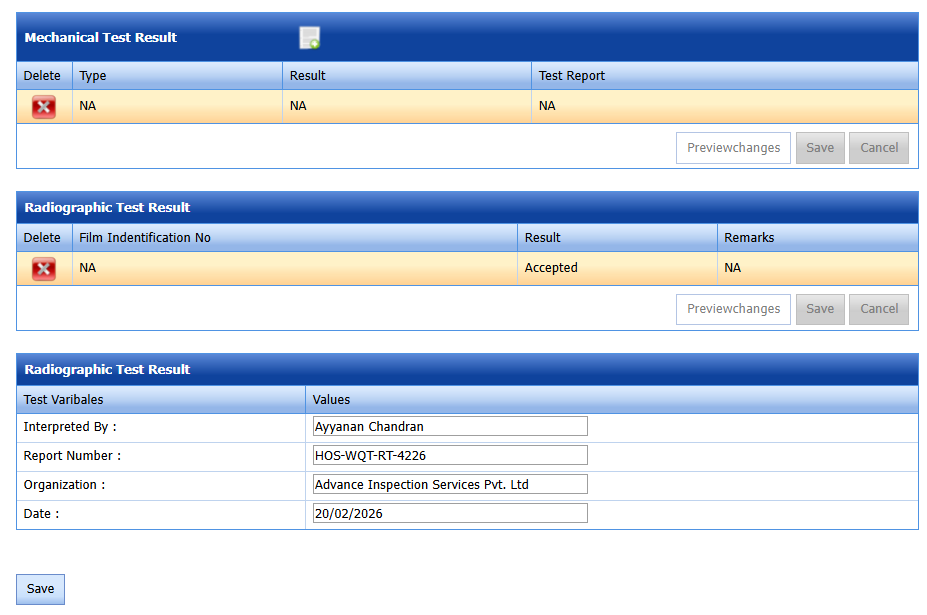
If the user wants to add a welder to the WQT request, click Result ( plus icon) in the WQT view request
View WQT Details: The created welders in the WQT request will be displayed in the list.
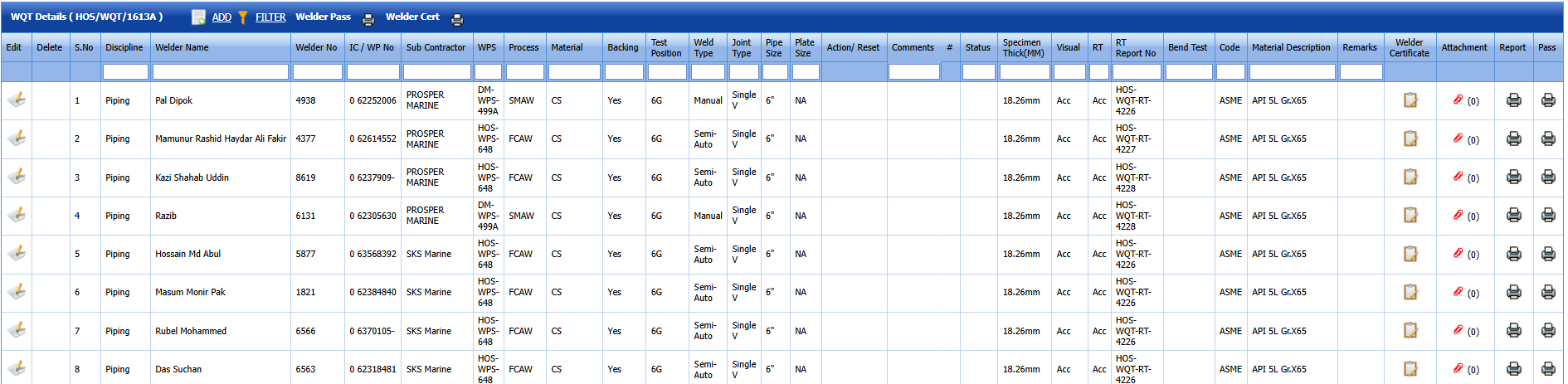
Add Welder for qualification
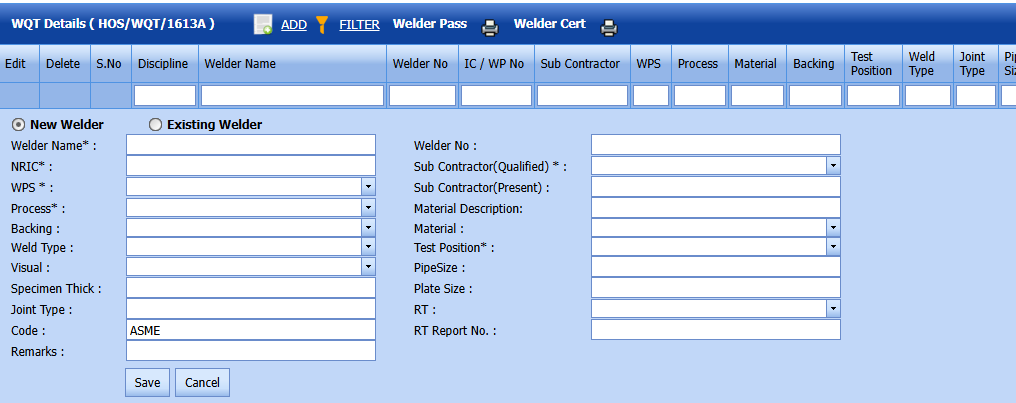
if its new welder coming for qualification, select "New Welder" option and keyin all mandatory columns, and if you click the Save button, data will be saved in the WQT request, and this Welder will be added in Welder Master and WPQ list ONLY when the Visual & RT result value should be accepted; otherwise, this welder won;t be added in WPQ list.
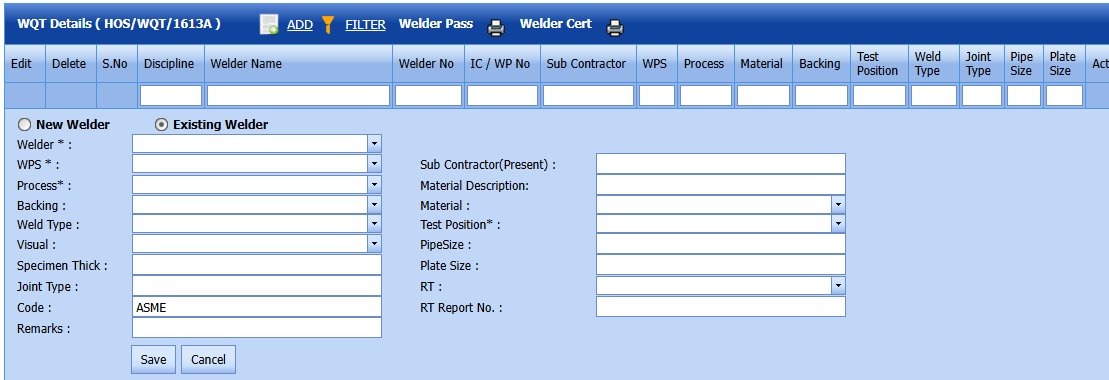
If its existing welder and wants to add a new qualification, select "Existing Welder" option and select welder from the list and keyin all mandatory columns, and if you click the Save button, data will be saved in the WQT request, and this Welder will be added in WPQ list ONLY when the Visual & RT result value should be accepted; otherwise, this welder won;t be added in WPQ list.
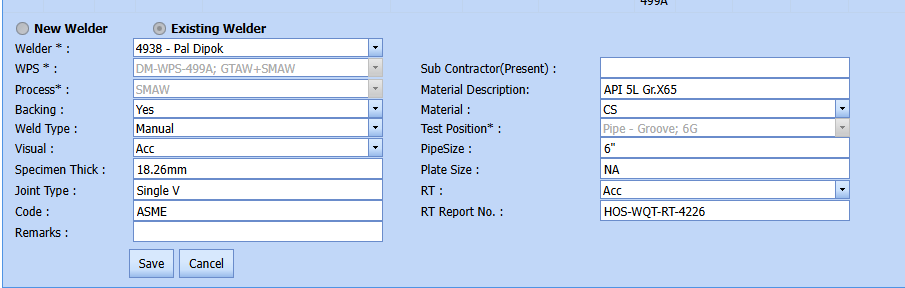
Update welder certificate
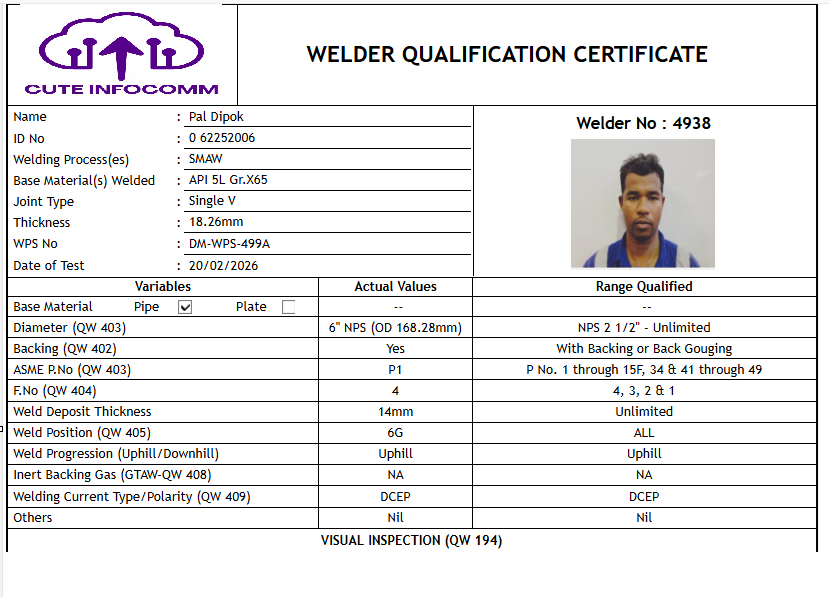
If you click "Welder Certificate" icon in each qualification, the certificate pop-up window will be opened.

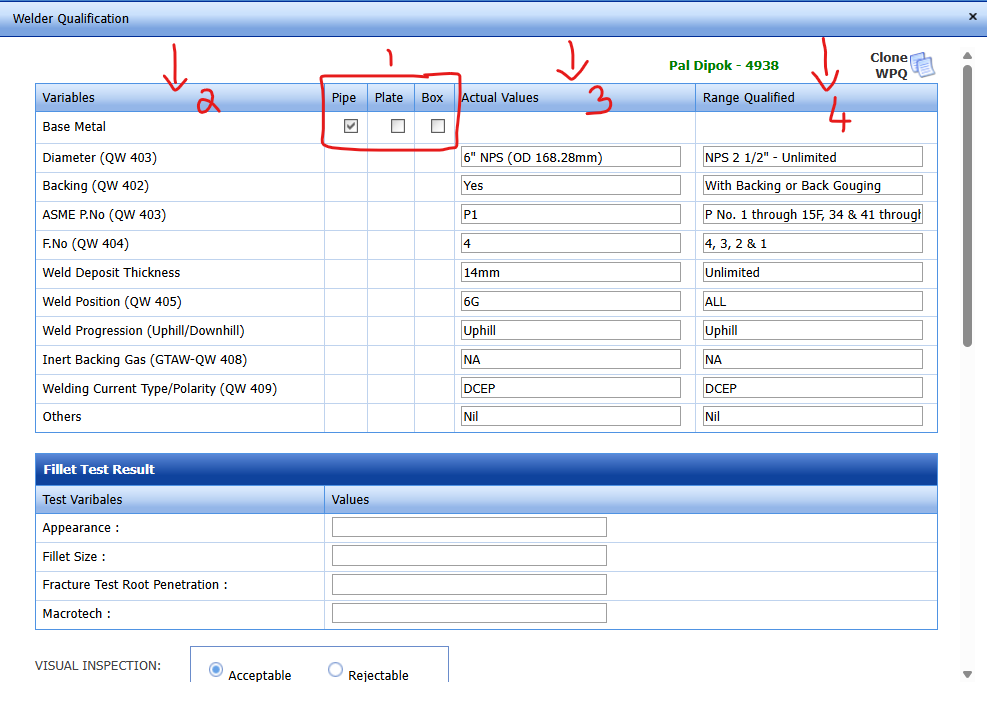
1. If the WQT request is piping, the system will automatically select "Pipe" option, and the user can't change and if the WQT request is structural, the system will automatically select "Plate" option.
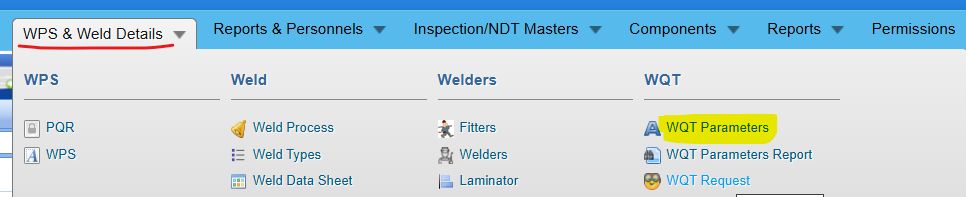
2. Certificate variables will be loaded based on the discipline (Pipe / Plate) and the variable master value in WQT Parameters screen.
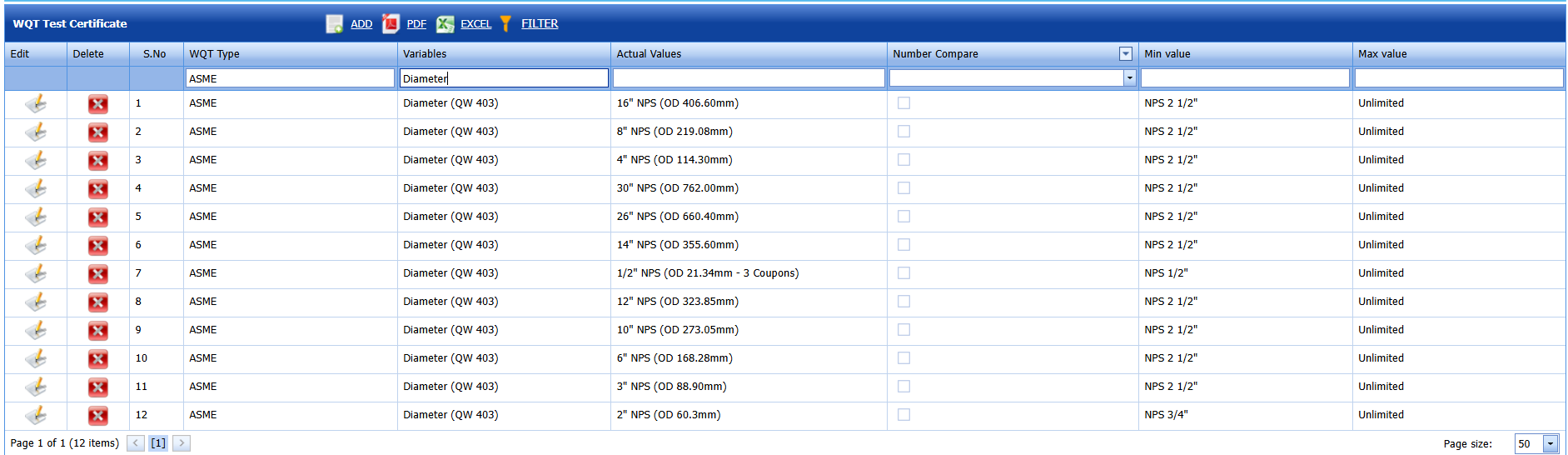
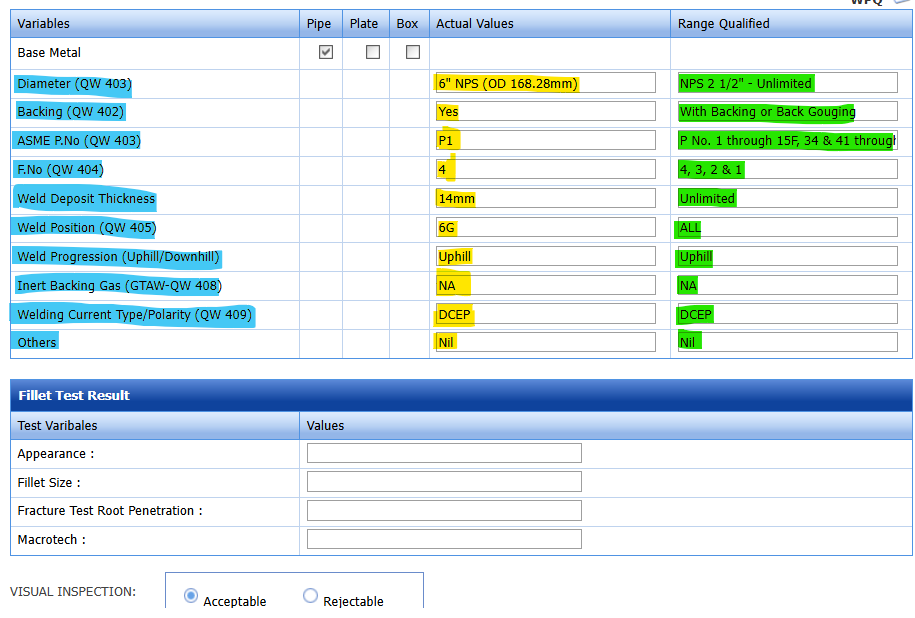
3. If the user keyin exact "Actual Values" for that variable, the system will automatically combine Min & Max values and update in 4. "Range Qualified" column.
An ADMIN user can generate a welder certificate report using Report icon

An ADMIN user can set the workflow approval process in the workflow master, and the workflow category is WQT. The approver's signature will be displayed in the Welder Certificate report footer.
Welder Pass
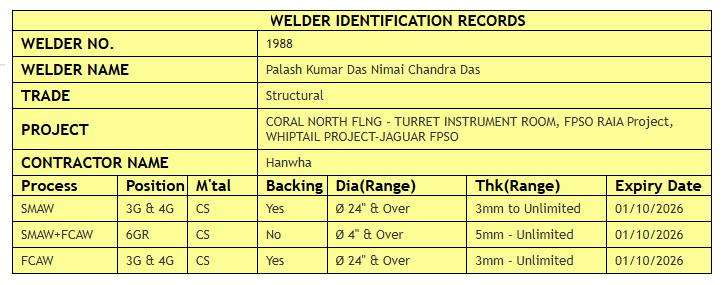
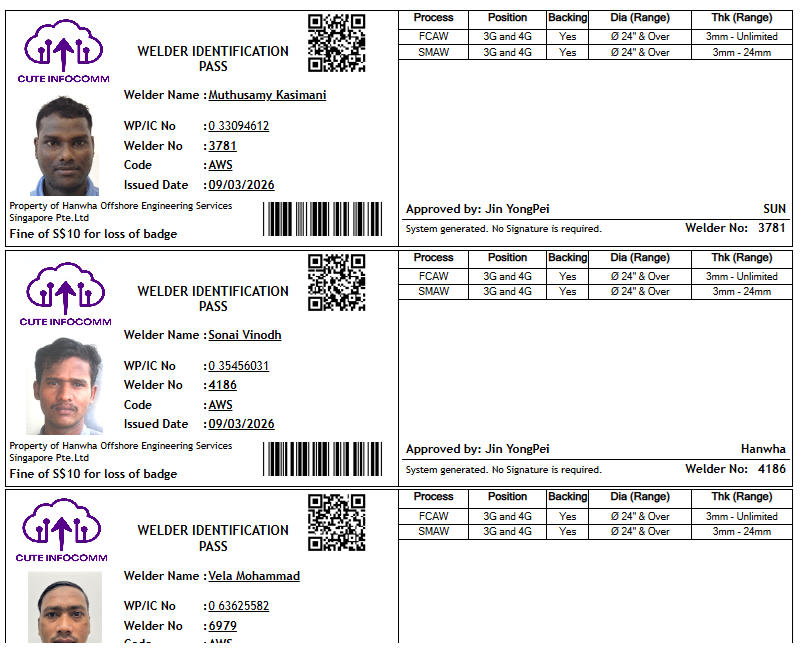
If you click "Pass" icon in each qualification, the system will combine all this welder's qualifications & displayed in welder pass.

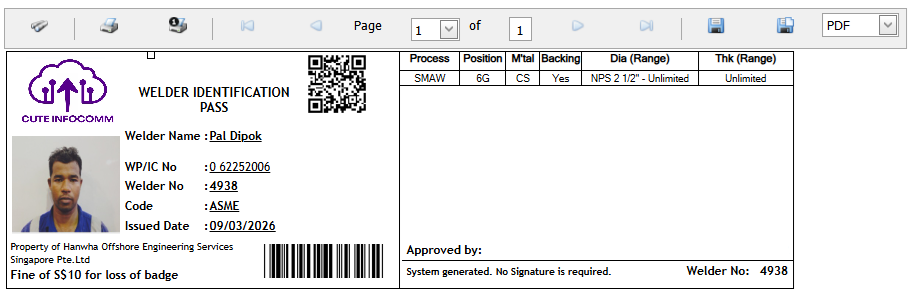
If you scan the QR code in the welder pass on your mobile, the system will show the scanned welder's current valid qualifications. Because the welder pass might be printed & issued to the welder some months before. Suppose if the client representative wants to check the welder's current valid qualification in the welding yard, just scan and check, and there is no need to call the welder's pass-issued person or coordinator to check.
Piping qualifications are shown in green color (if it's)
Structural qualifications are shown in yellow color (if it's). For Example, pls refer to the screenshots below.
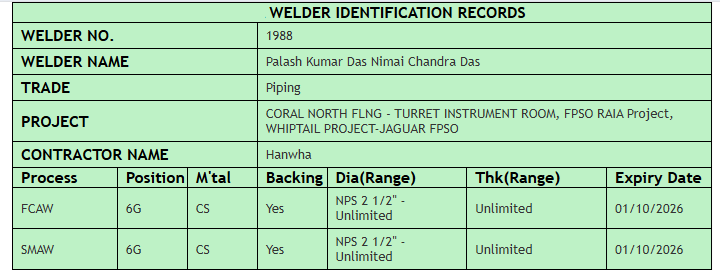
Welder Pass Inspection
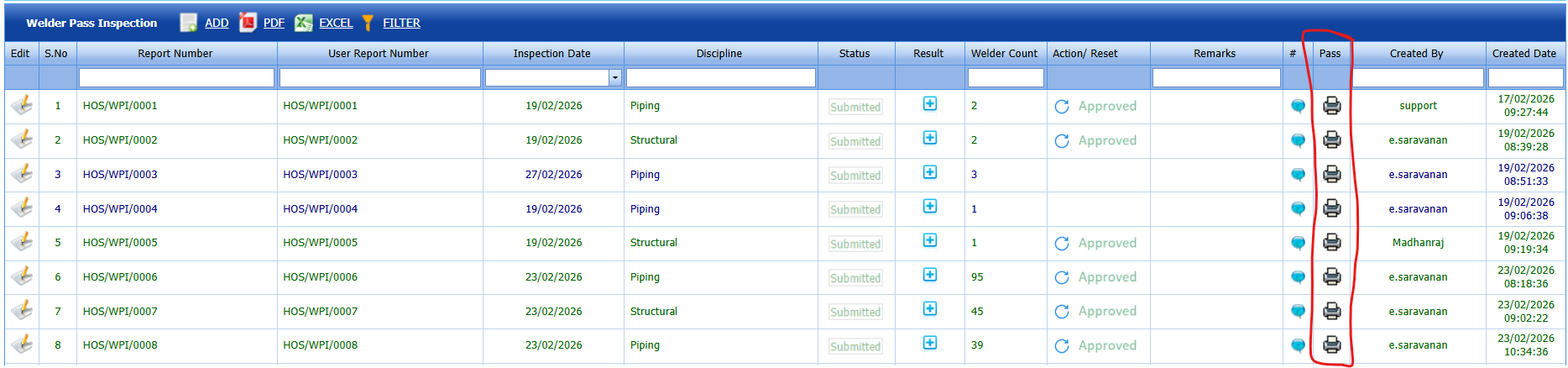
If you want to print the selected welder's pass in the report, add those welders in weder pass inspection request and generate welder pass report after submission. Here user can set the Workflow Approval process also.
WQT Reports
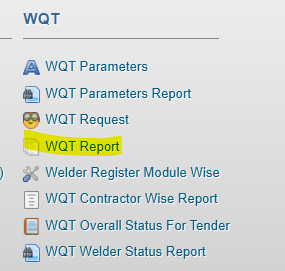
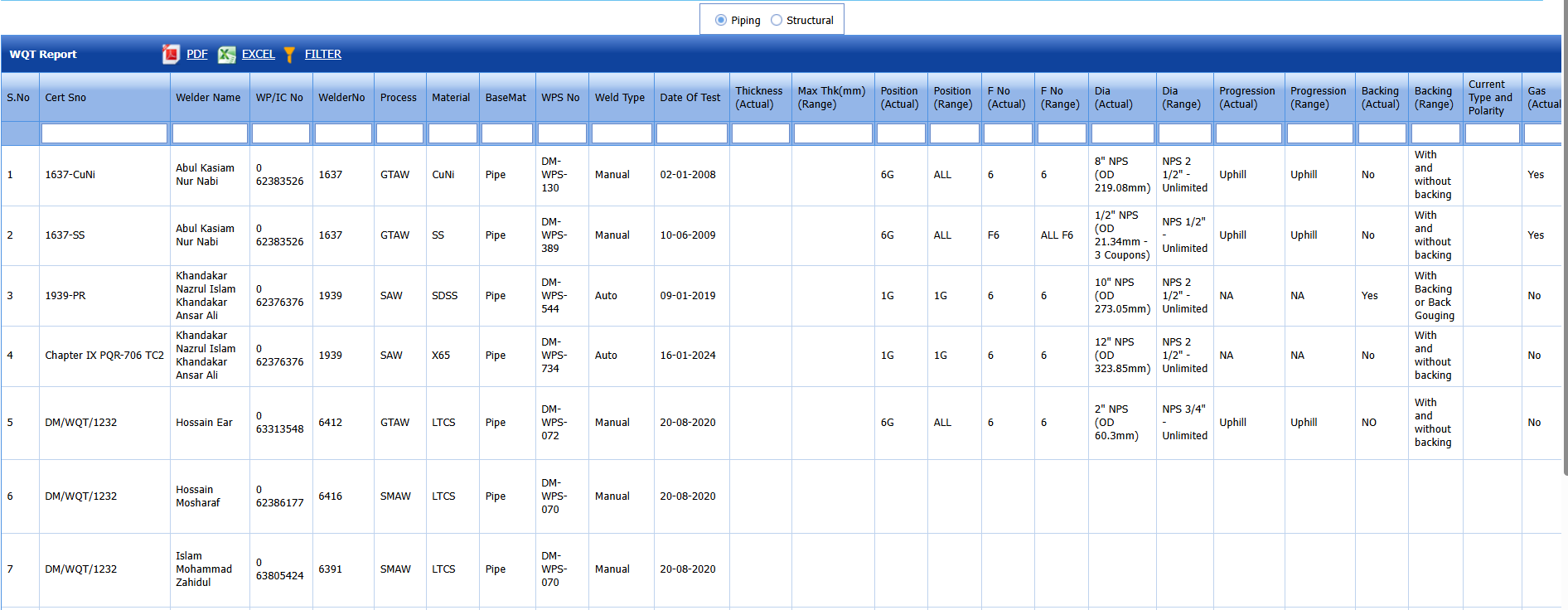
WQT Report.
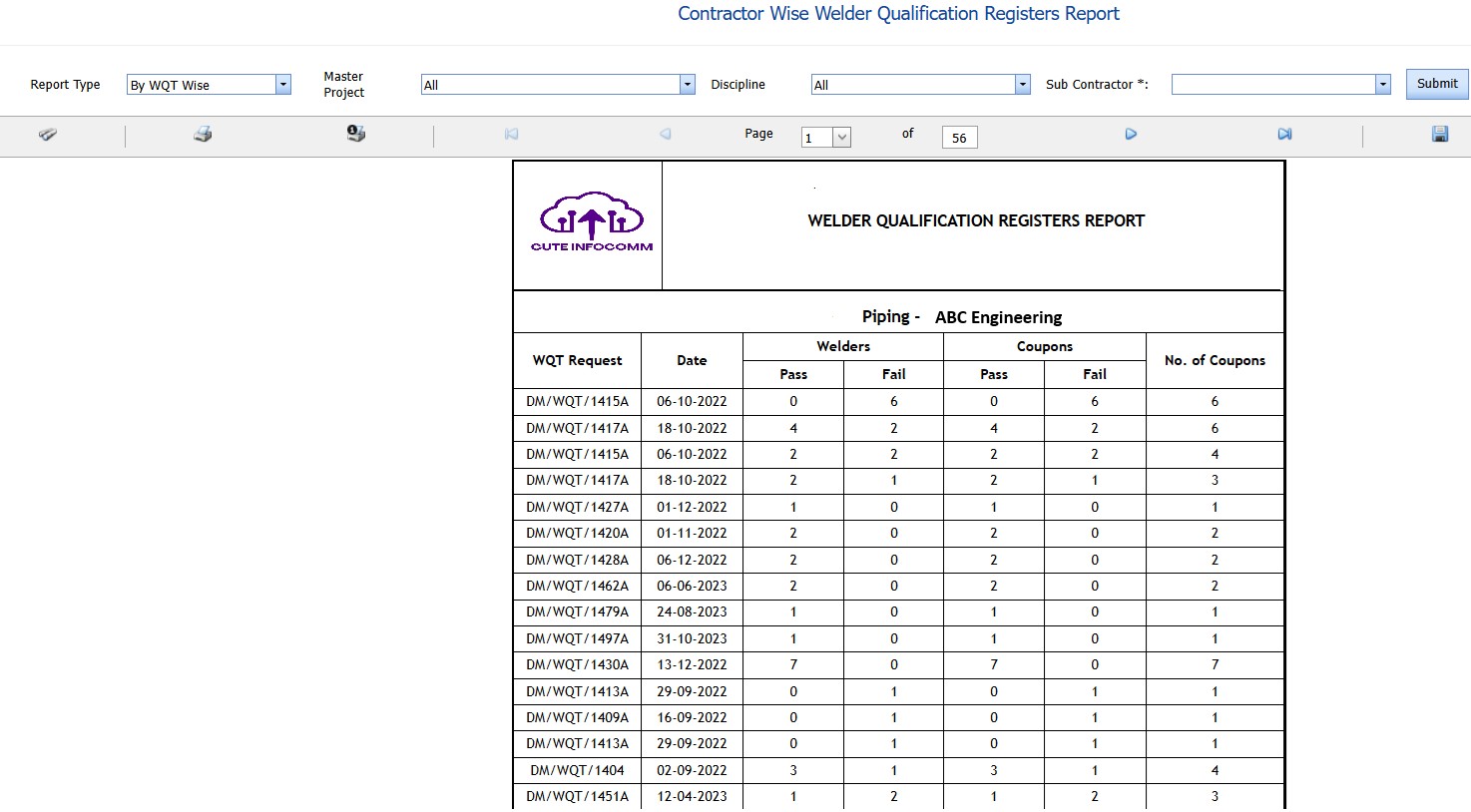
WQT Contractor-wise Report.
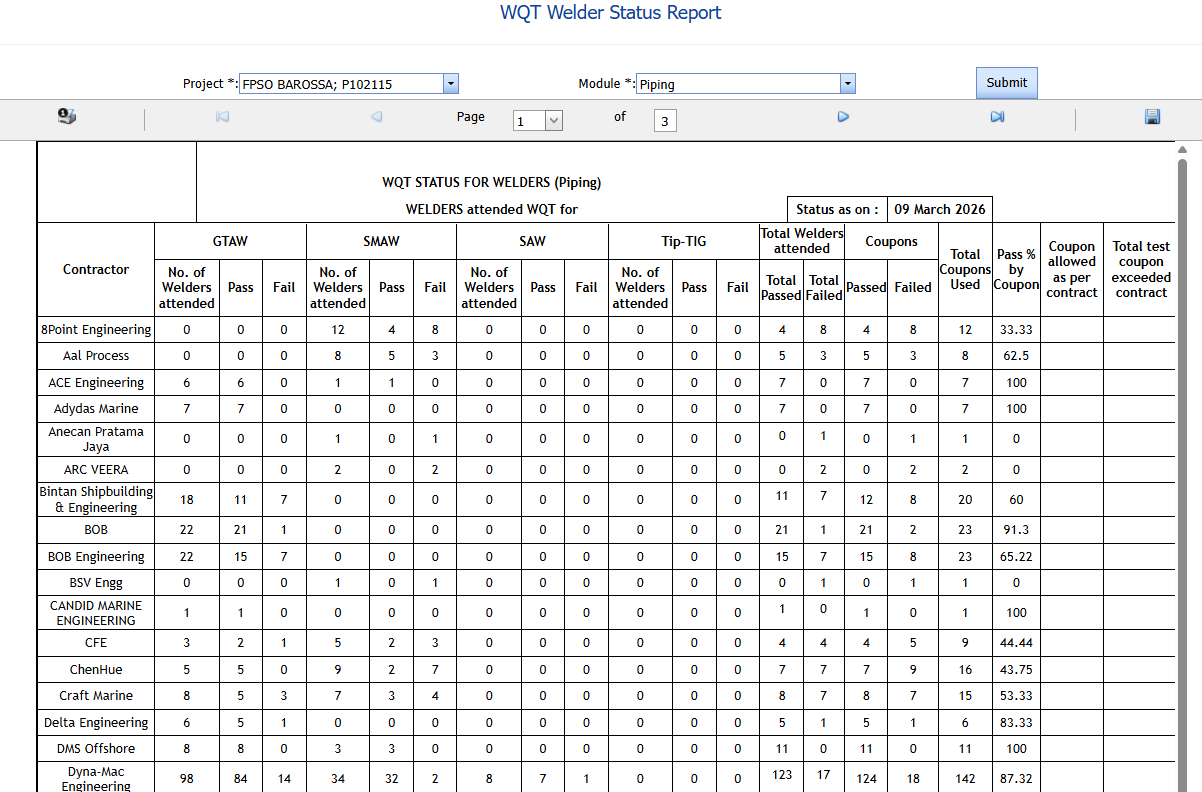
The ADMI user can take contractor wise welder qualification register report. It will show No. of welder pass or fail details & No. of coupons issued for the qualification test in a WQT request-wise.
WQT Overall Status (Contractor & Material-wise status Report)
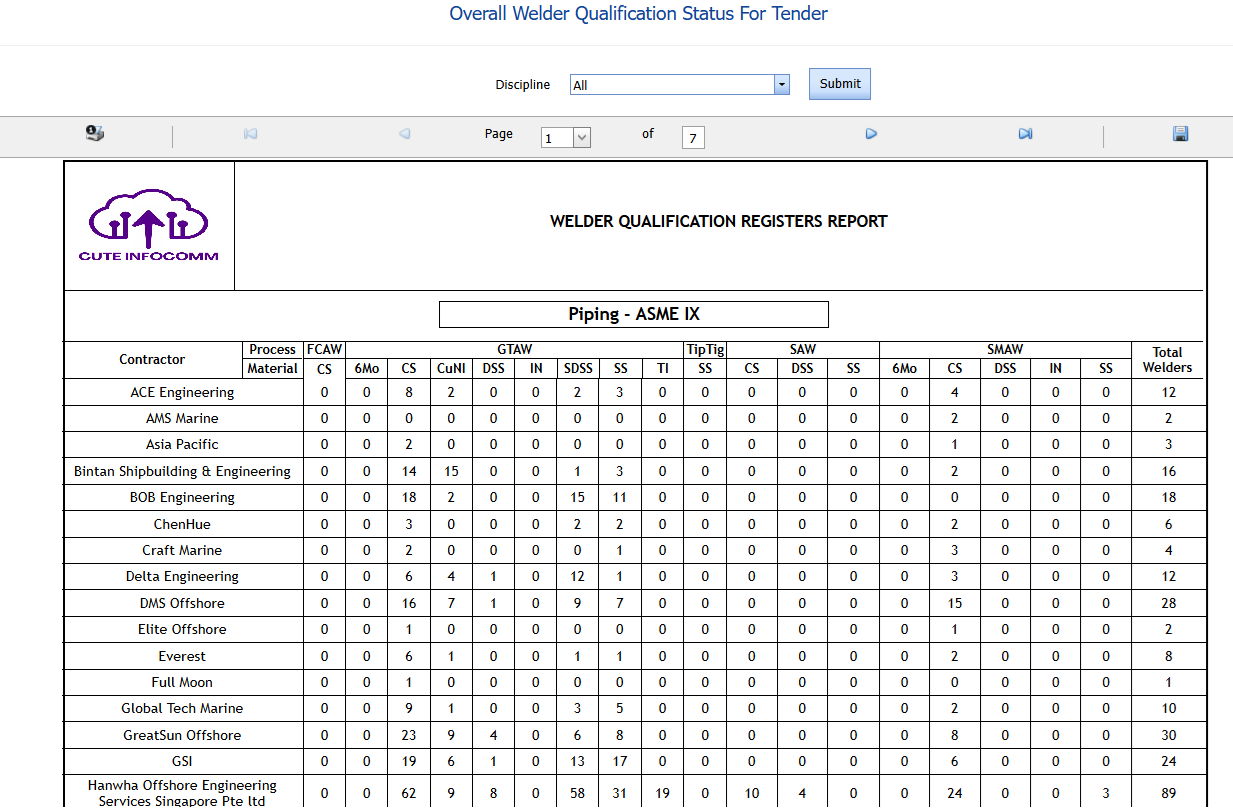
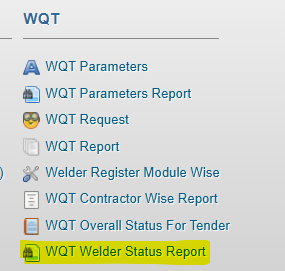
WQT Contractor Wise Pass & Coupon status Report
No Comments