
SET DEFAULT PROJECT
2.0 SET DEFAULT PROJECT
The SET DEFAULT PROJECT tab helps you to select or change the project and module.
To select or change the project and module,
 Note: if you are signing in to the app after the first-time login process, the app automatically redirects you into the dashboard page.
- Tap SET DEFAULT PROJECT. See Fig 2.3. The SET DEFAULT PROJECT page opens.
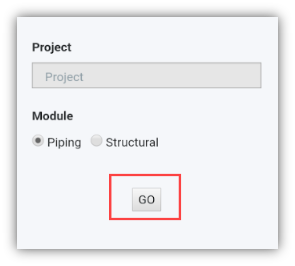
- Tap the Project box, and select the project from a drop-down list.
- Select the module you want, under the Module
- Tap GO.
No Comments