
Bulk Approval
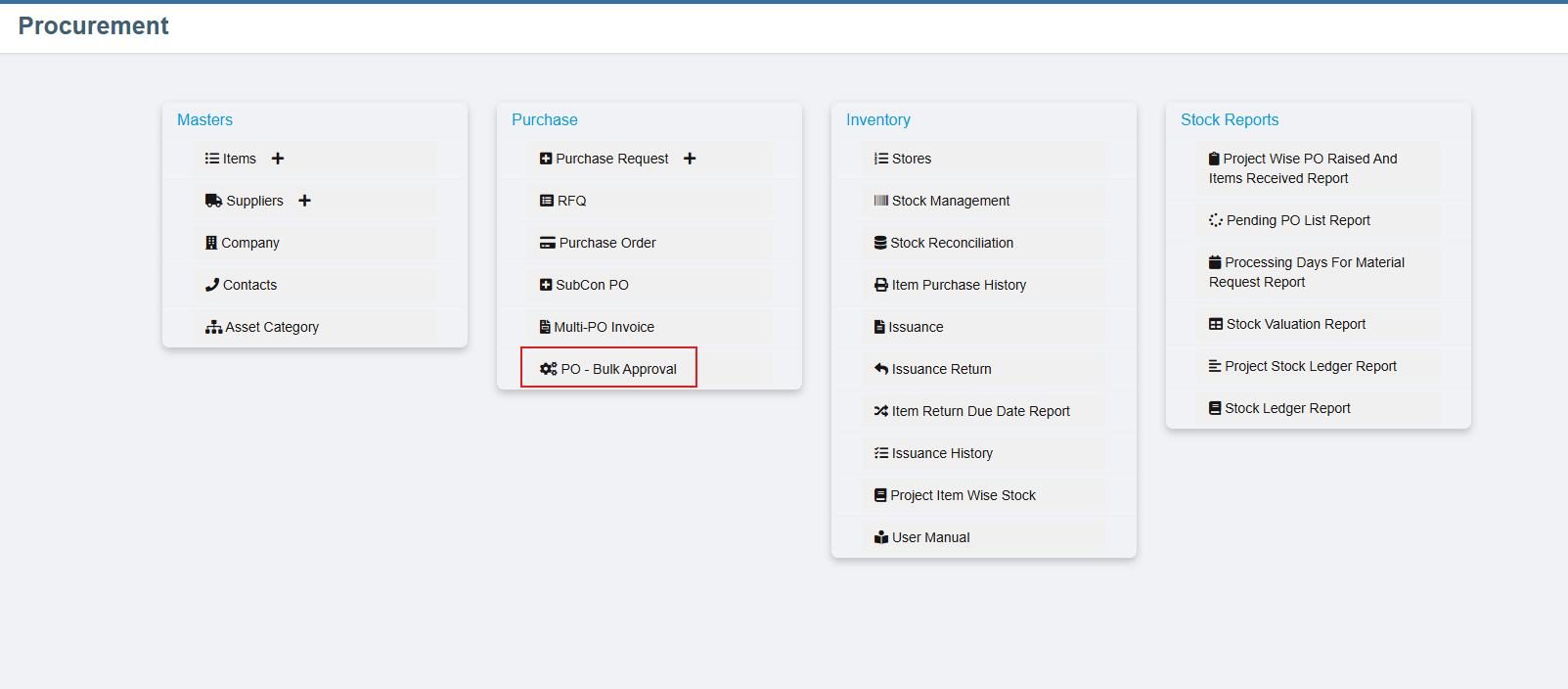
Step 1: Access Bulk PO Approval
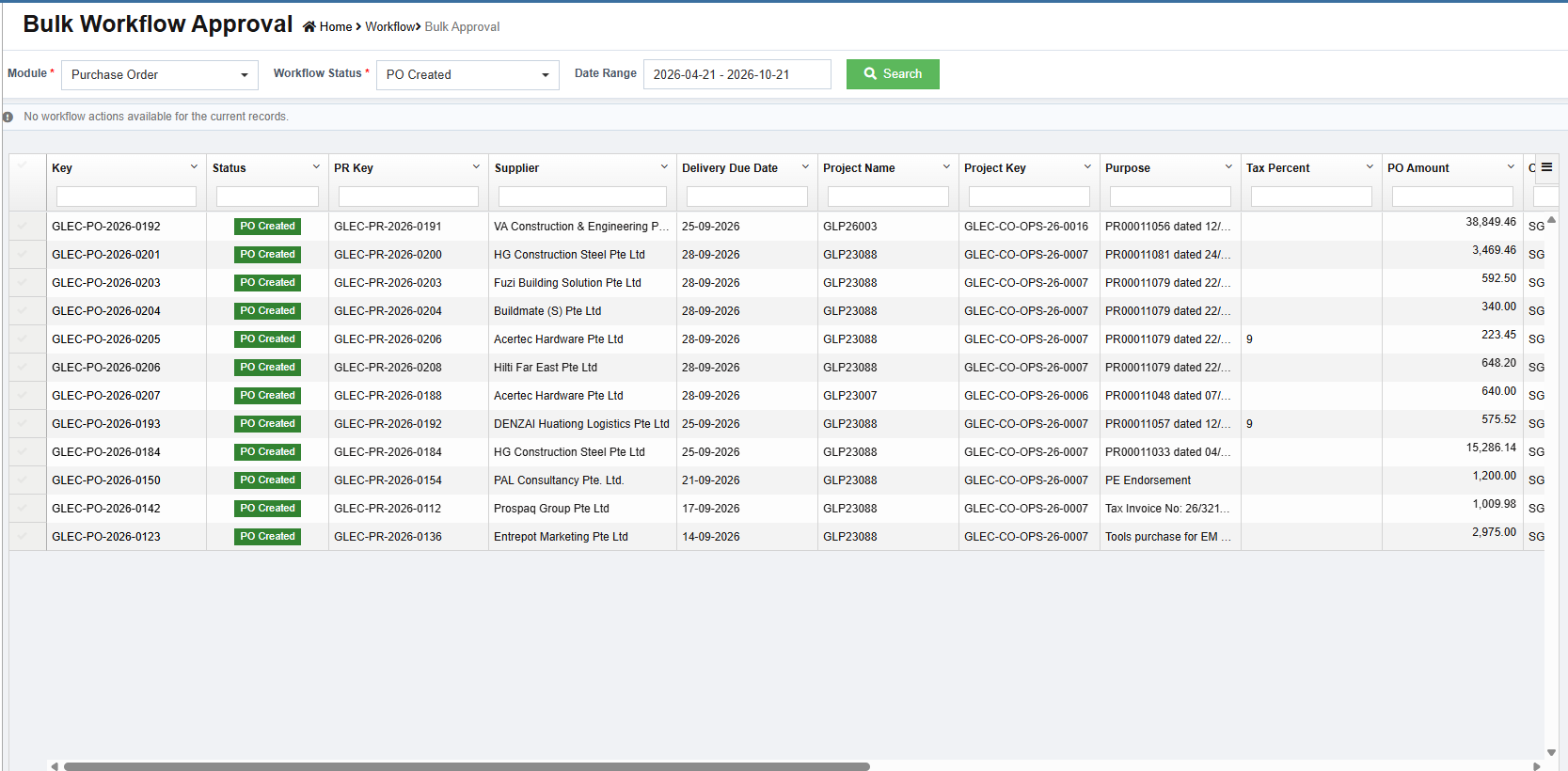
Step 2: Search for Purchase Orders
-
Select the PO module.
-
Choose the respective status.
-
Specify the required date range.
-
Click Search to retrieve the records.
The matching purchase order records will be displayed in the grid.
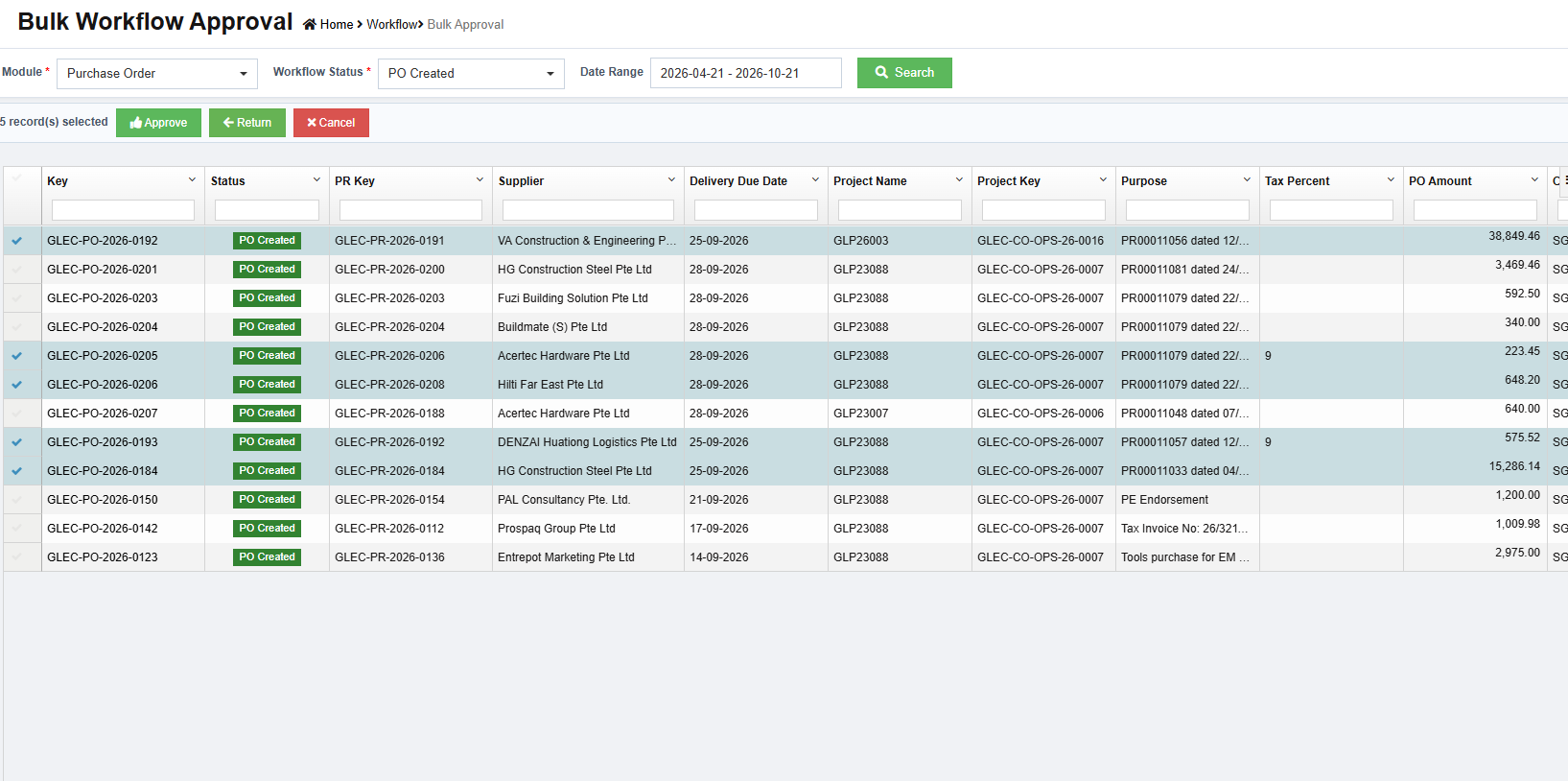
Step 3: Select Purchase Orders for Approval
-
Select the required purchase order records from the grid.
-
Once the records are selected, the workflow action buttons Approve and Reject will be enabled.
-
Click the appropriate workflow action button to proceed.
-
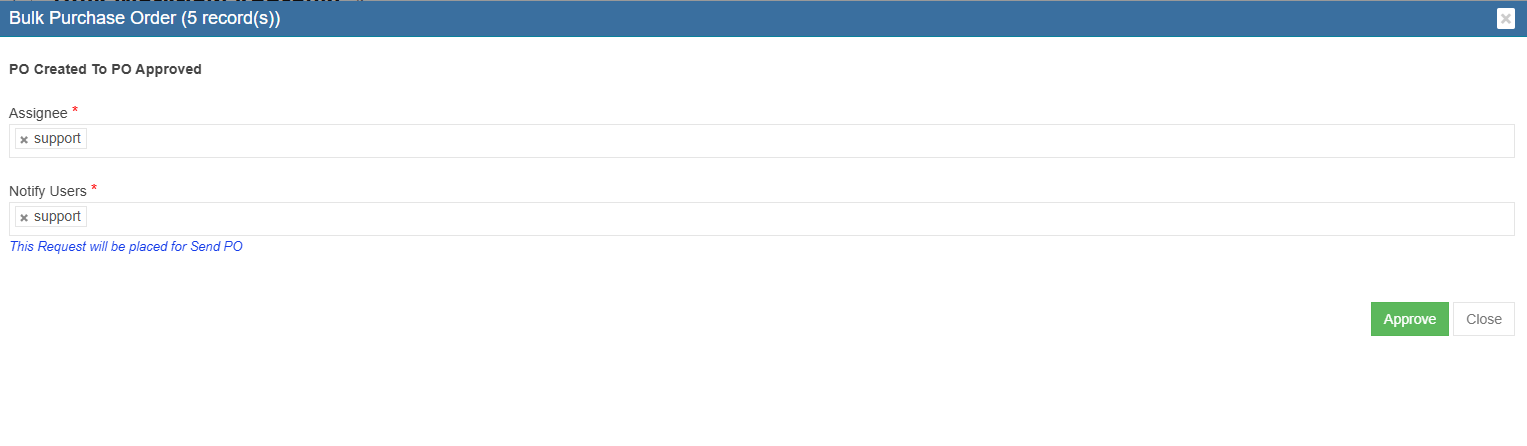
An Assignee popup will appear. Select the required assignee and click Confirm to proceed.
-
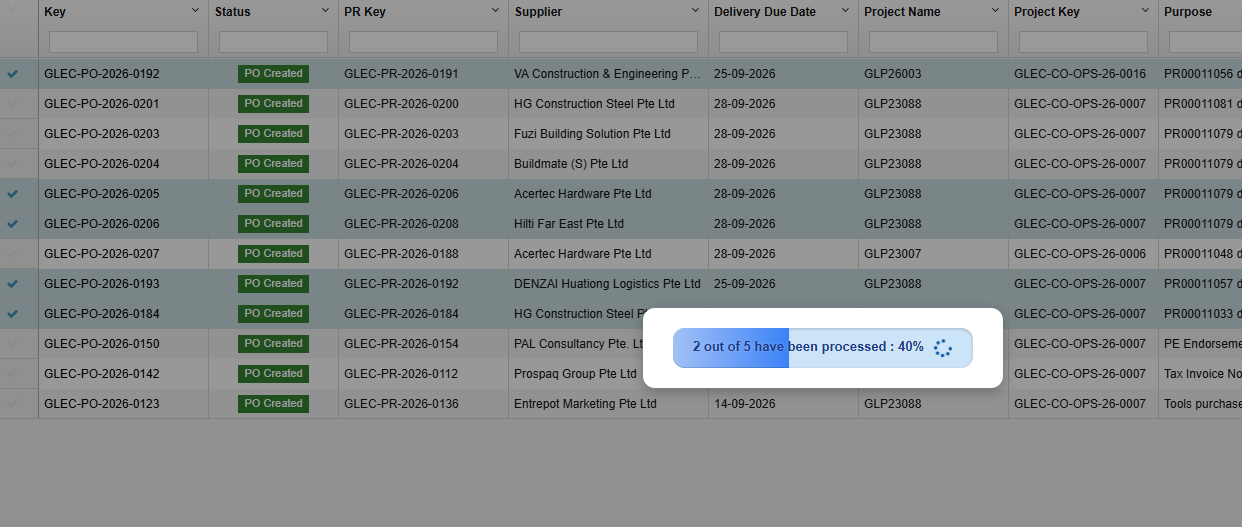
The selected records will be processed, and the workflow transaction progress will be displayed on the screen.
Important: Do not close or refresh the page until the workflow processing is complete and the progress reaches 100%.
No Comments