
Introduction
Introduction
cuteTrac is a “Vehicle Tracking” application that is used to manage your fleets in real time for operational efficiency. Any types of vehicles can be monitored using cuteTrac application, such as car, truck, bike and boat etc. cuteTrac uses Global Positioning System (GPS) and General Packet Radio Service (GPRS) technology for tracking vehicles in 24X7 basis. cuteTrac ensures accurate live monitoring of the vehicle, also it stores and manages previously tracked data of the vehicles. This document explains cuteTrac (Vehicle Tracking) application for all type of users. It defines the main functions of cuteTrac application and gives detailed instruction on how to use the application effectively. Also it explains all User Interfaces (UI) of the cuteTrac application with well-defined screen shots for your convenience, which provides complete knowledge base of using the application.
Getting Started
Login to Application
To login into the cuteTrac application,
- Open your web browser.
- Type the URL https://www.cutetrac.com in the address bar of your web browser to enter Login page,
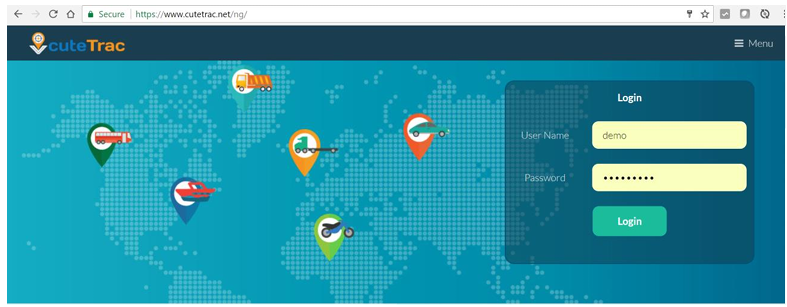
- In the login page, type your User Name.
- Type your Password.
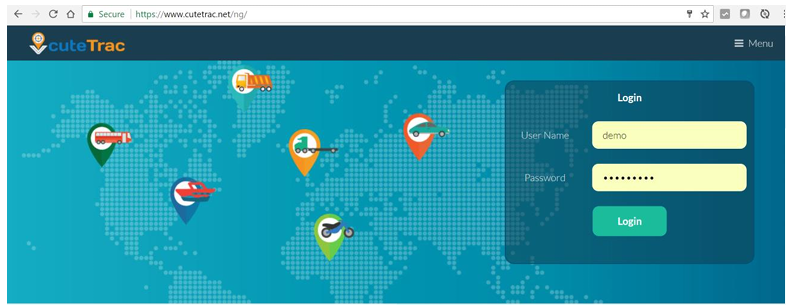
- Click Login. Once you have successfully login into the application, the main page of the cuteTrac will appear. Your user name will display in the top right corner of the application.
Change Password
To change your current password,
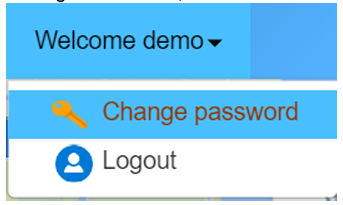
- Navigate to the top right corner of the screen, and click on the drop-down box next to your user name (user ID). There are two options appear. One is “Change Password”, and the other is “Logout”.
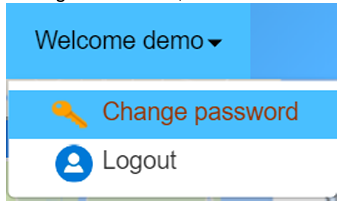
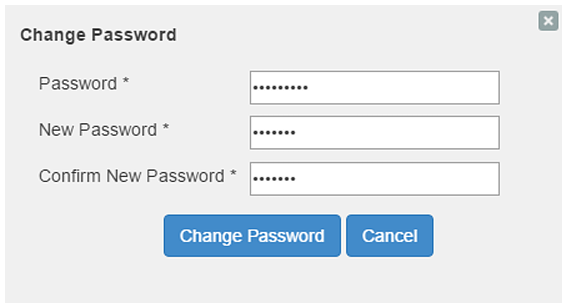
- Click Change Password. Change Password window appears.
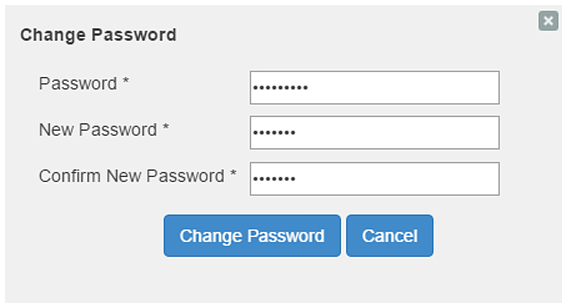
- In the Change Password window, type your current Password.
- Type a New Password.
- Confirm your New Password again.
- Click the Change Password button to save new password.
No Comments