
Tasks Management
Click Task under the transactions Menu.
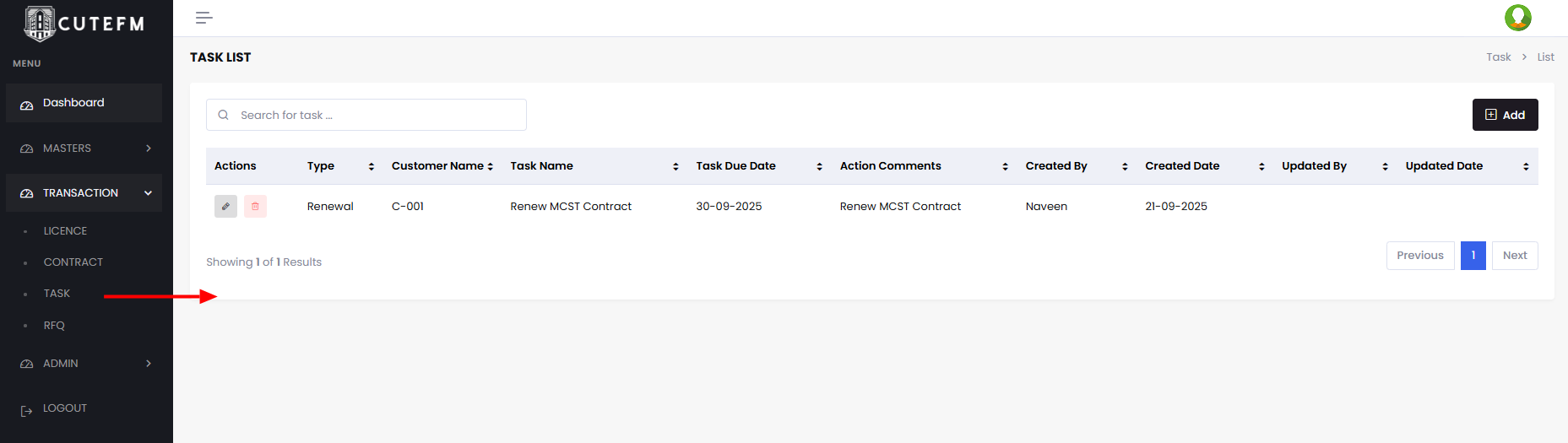
To add a new Task
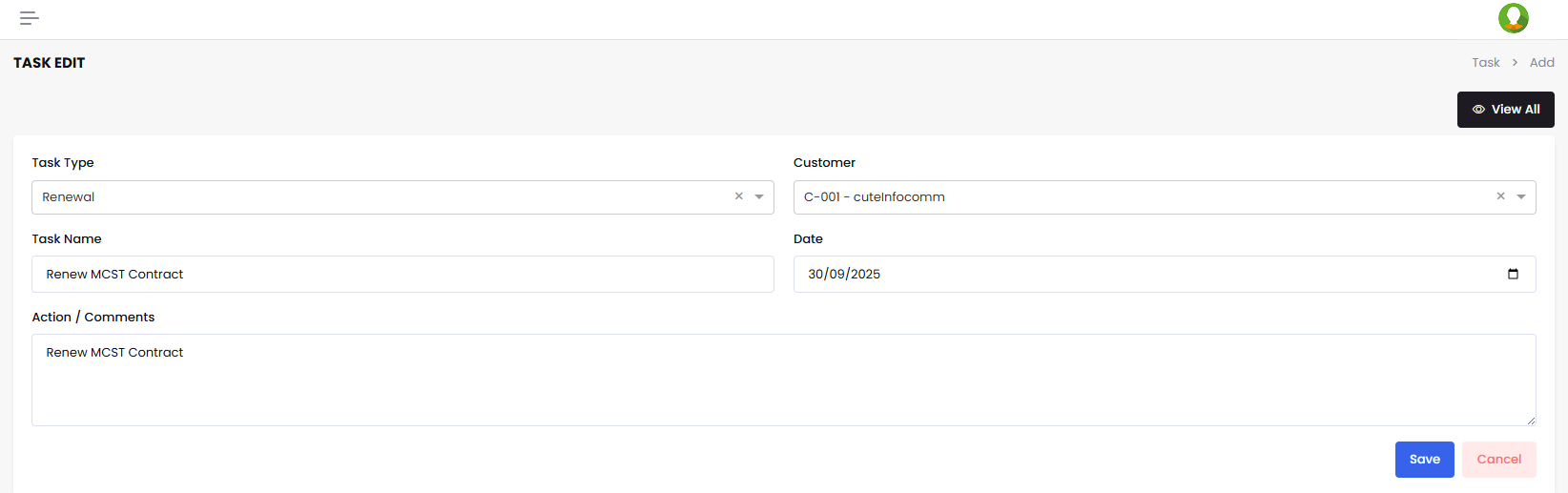
- Click Add
- Choose Task Type
- Enter Task Name
- Enter the Target Date
- Enter Actions taken and comments by editing it whenever required.
- Click Save
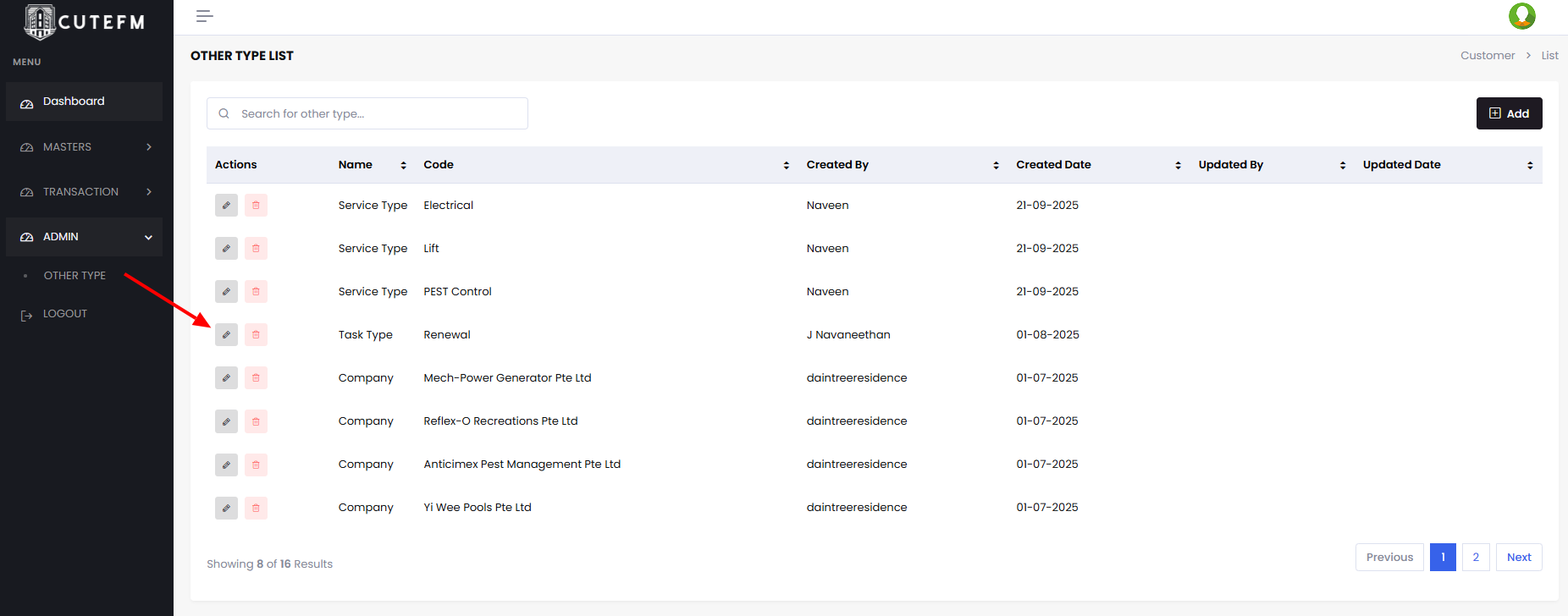
The Task Type can be managed using Admin -> Other Types options
No Comments