Live Tracking
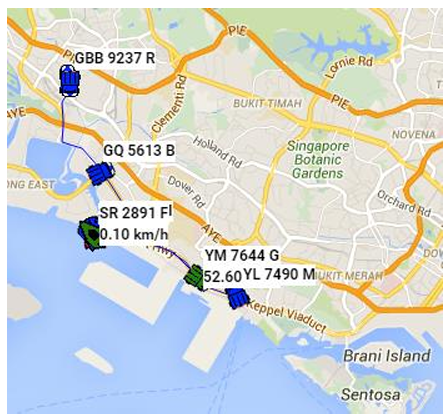
Live Tracking is one of the key functionality of cuteTrac solution in which the real time location data of all vehicles are displayed on the map. User interface of “Live Tracking” is explained here. Once you have successfully login into the cuteTrac application, the landing page looks as below.
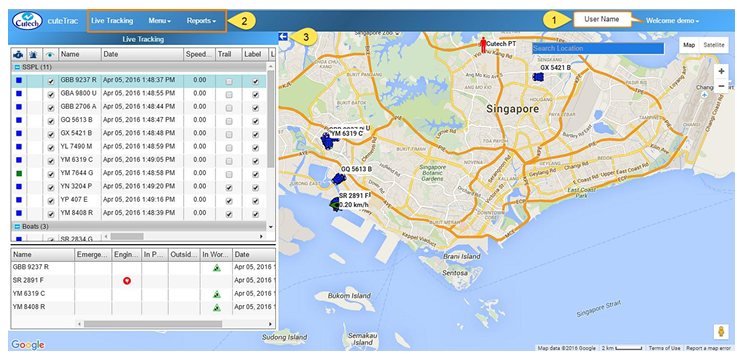
This screen consists following details:
- The user name will display on the top right corner of the screen. Look at the
above figure. - Set of menus display in the top left side of the screen, such as Live Tracking,
Menus and Reports. - The arrow mark at the top right side of the “Live Tracking” window (
 )helps to
expand / collapse the window to the left side of the page. This is useful to
maximize the display when monitoring many vehicles.
Live Tracking Window
Click the  (arrow mark) to expand live tracking window as below,
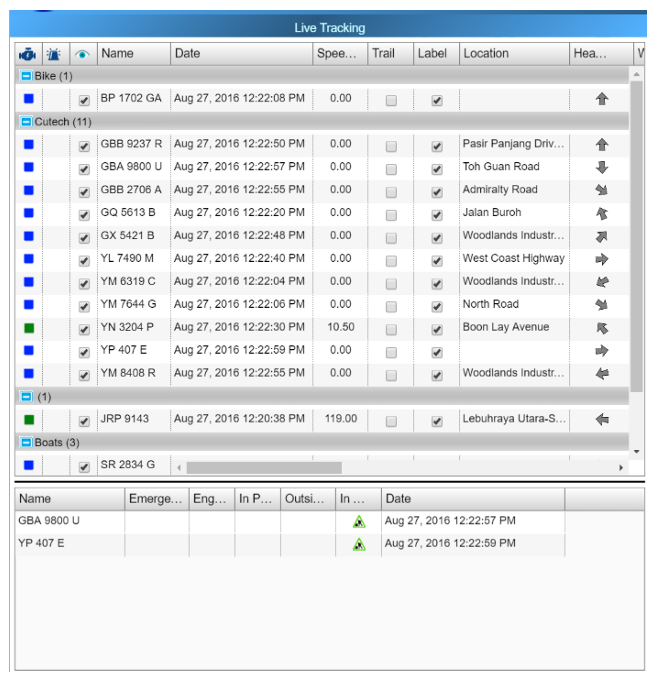
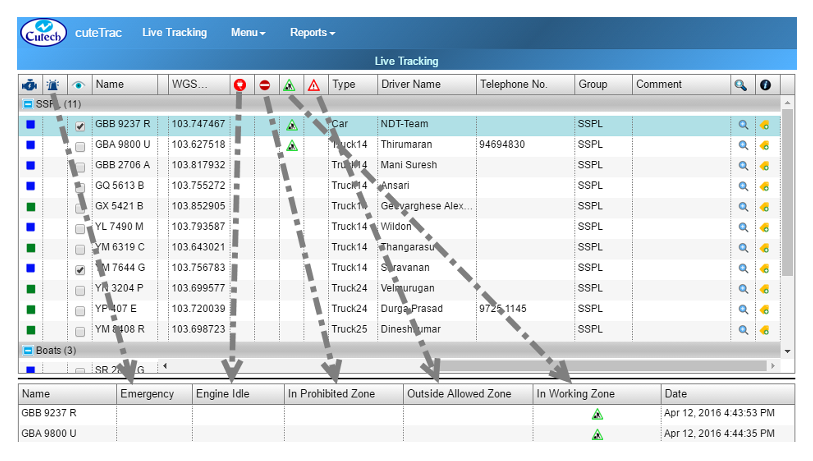
Live tracking window columns legendries:
- Vehicle Group button

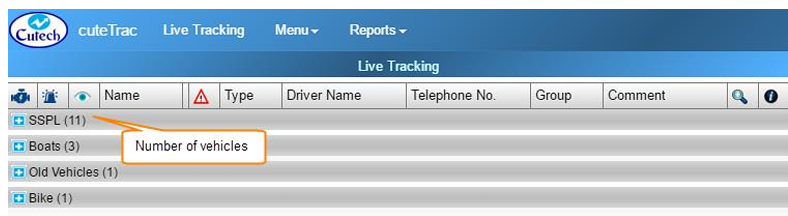
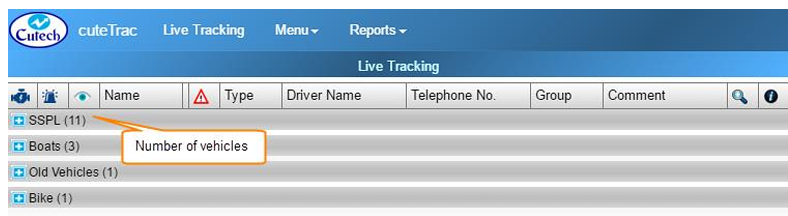
 -The vehicles can be grouped into different vehicle groups for easy management and view when you have long list of vehicles to manage. It can be collapsed and expanded by clicking thebutton provided in front of the vehicle group name such as Boats, Bikes etc..(To refer about creating vehicle groups, refer the Groups Section). Total number of vehicles under each group is shown inside the bracket next to the vehicle group name.
- Engine Status
 -The first column of the window shows Engine Status that varies with different colors. There are three level of engine status you could see in the map, as below,
 Green represents that the engine is turned on.
 Blue represents that the engine is turned off.
 Red represents that no data received from the vehicle for more than 30 minutes. (Either the vehicle is in a GPS hidden area or the GPS needs to be inspected)
- Emergency Alert
 -The second column of the “Live Tracking” window shows for Emergency alert. If an alert button is provided in the vehicle, user can press and activate it. When the user have pressed the emergency alert button it will be shown in the bottom of the “Live Tracking” window. Also, alert message will send to a corresponding person`s email ID and configured phone numbers.
 - Visible Status
 -The third column shows for setting Visible status of the vehicle. For each vehicle there will be check box provided in the “Live Tracking” window. If the check box is ticked, the vehicle will appear in the map; when the check box has unticked, the vehicle will disappear from the map. Note: when the user logout from the application and login again, vehicle visibility retrieves the same what have been done before.
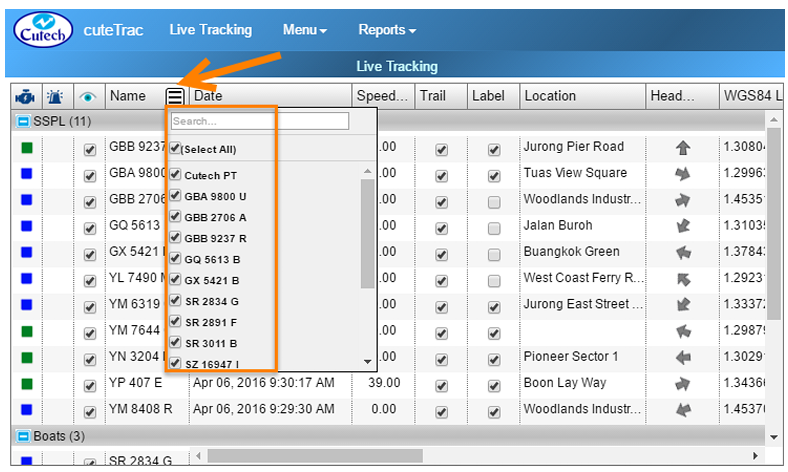
- Name column- Name column shows the name of all vehicles that are grouped under corresponding vehicle groups. Search and filter option is provided see button
 . This search and filter feature are applicable also in the following
columns of, “Date, Location, Heading, Vehicle Type, Driver Name, Telephone No., Vehicle Group, and Comment”.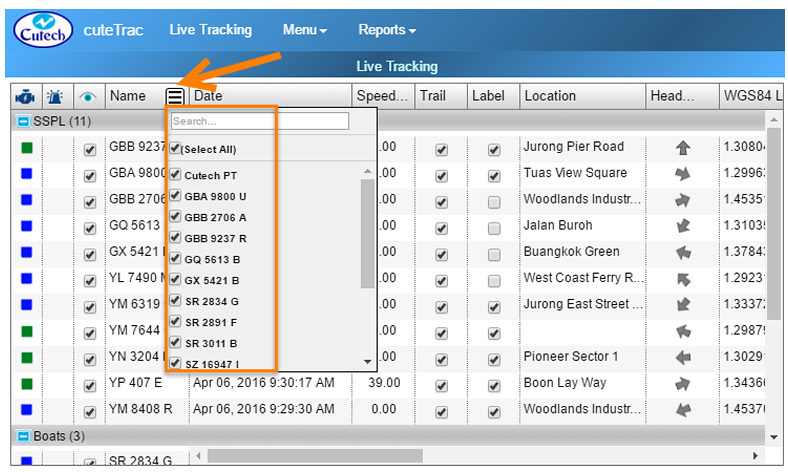
- To find a specific vehicle name you want, type the vehicle name in Search box.
- To filter a specific vehicle name you want, mark the check box provided for each vehicle.
- Date column- Shows the last known date/time of the vehicle. It will always shows the latest timing. Search and filter option is provided.
- Speed column- Displays travelling speed of vehicle in kilometer per hour, even when the vehicle engine is off. When the vehicle travels more than the limited speed, alert message will send to a corresponding person`s email ID. Also it will show in the bottom of “Live Tracking” window.
- Trail column- Displays the recent vehicle movement trail for the configured duration with maximum of 99 minutes. Each trail column has provided with a check box corresponding to the vehicle name. When the check box has clicked, that will show the recent vehicle movement.
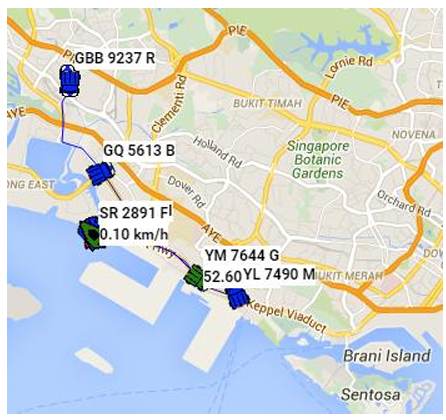
- Label column- Shows the name of the vehicle on the map along with the speed when engine is on, when the checkbox corresponding to the vehicle is checked. Note: even if you have logout from the application and login again, label feature retrieves the same what you have done before.
- Location column- Shows the location such as road name of the vehicle. Search and filter option is provided.
- Heading column- Shows the direction of the vehicle where it travels. Search and filter option is provided.
- WGS84 Latitude: Shows vehicle latitude in WGS Coordinate system.
- WGS84 Longitude: Shows vehicle longitude in WGS Coordinate system.
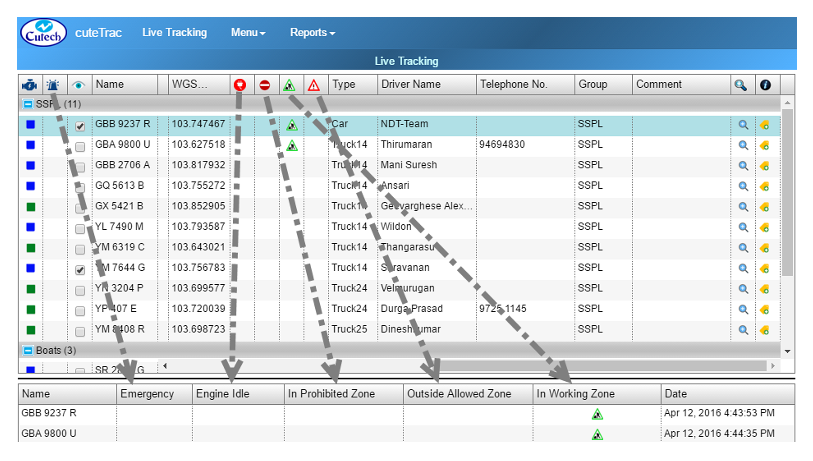
- Vehicle Alerts
-
 Shows if the vehicle that engine is idle for 10 minutes or more, so that message alert will be sent to a corresponding person`s email ID. Also it is shown at the bottom of the “Live Tracking” window. Refer to the above screenshot.
  Shows if the vehicle enters into a prohibited zone, so that message alert will send to a corresponding person`s email ID. Also it is shown at the bottom of the “Live Tracking” window. Refer to the above screenshot.
 Shows the vehicle in a working zone, so that message alert will send to a corresponding person`s email ID. Also it is shown at the bottom of the “Live Tracking” window. Refer to the above screenshot.
 Shows the vehicle in an outside allowed zone, so that message alert will send to a corresponding person. Also it is shown at the bottom of the “Live Tracking” window. Refer to the above screenshot.
-
- Type column-Shows the type of vehicle, where the vehicle type will be Car, Truck, Boat and Asset. Search and filter option is provided.
- Driver Name column-Lists the name of the driver driving the vehicle. Search and filter option is provided.
- Telephone No. column- Shows the contact number of the driver driving the vehicle. Search and filter option is provided.
- Group column- Displays the vehicle group name consisting list of vehicles together. Search and filter option is provided.
- Comment: Helps keeping the feedback for easy reference. Search and filter option is provided.
 -Helps zooming the map and just click on the button to zoom in.
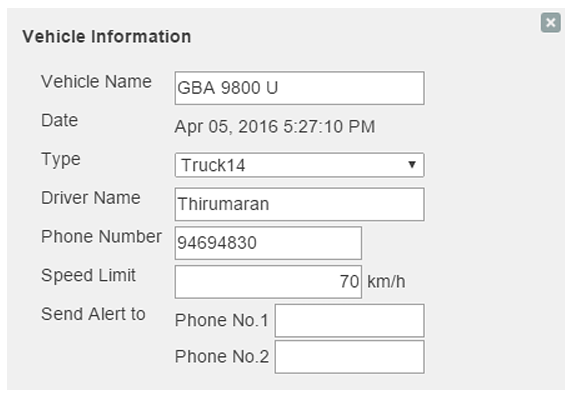
 column- Includes edit option
  in the column, help maintaining data of Vehicle Type, Driver
Name and Telephone Number. To maintain the vehicle details,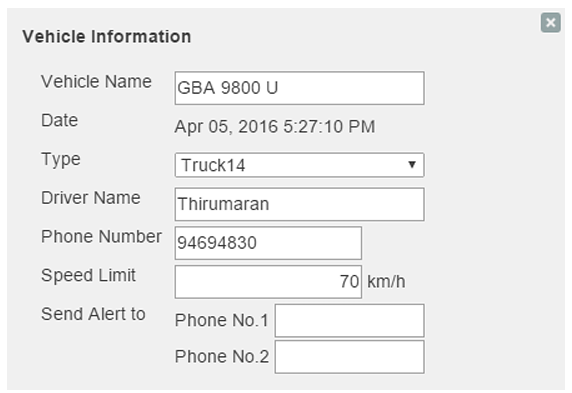
1. Navigate to the vehicle you want to make changes, and click onedit button. A new “Vehicle Information” window appears.
2. Add details you want. Note: If you have changed the “Vehicle Type” in Vehicle Information, the new vehicle`s symbol appears in the map instead of the old vehicle`s symbol.
- Immobilize- Allows vehicle supervisors to stop and immobilize the vehicle in their remote area. The vehicle needs to be mobilized again in order for the vehicle to be able to be stopped. To enable this feature, a specialized device need to be installed in vehicles.
-
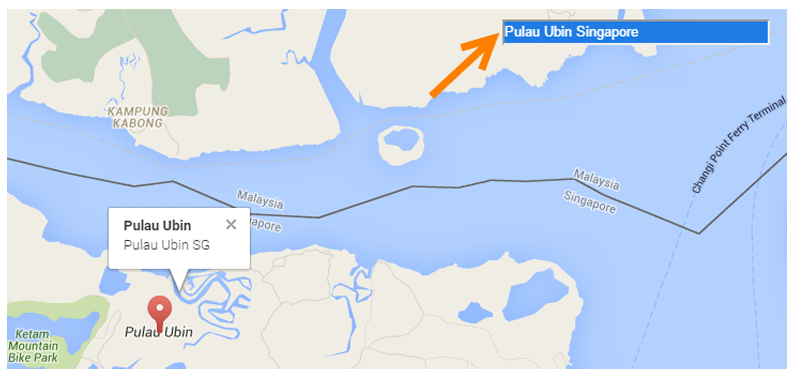
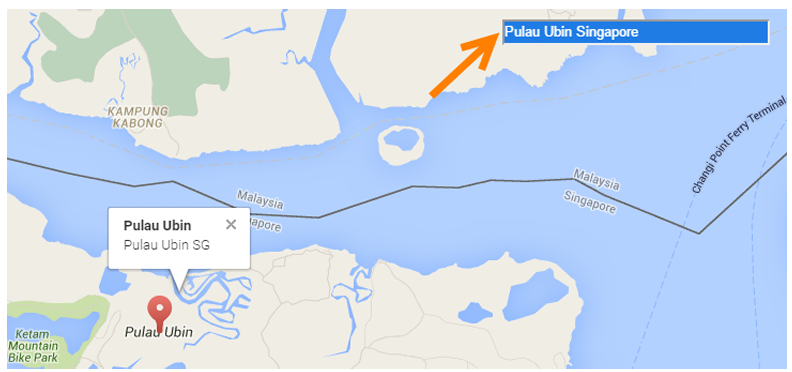
Search Location- If you want to search a specific location from the map, go to “Search Location” box provided in the top right corner of the screen. Type the location you want to search. See below screenshot as example,
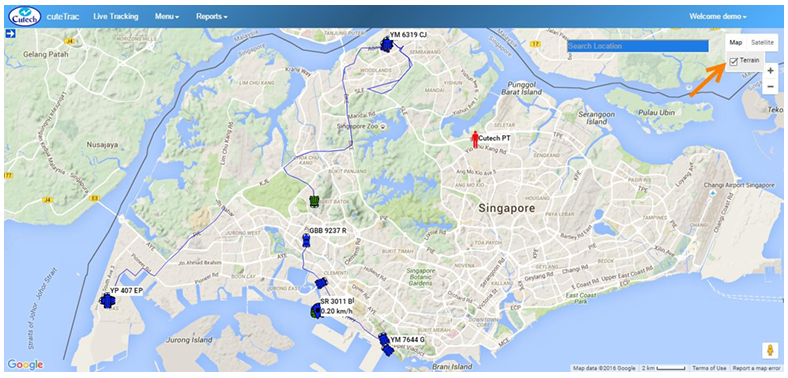
- Terrain View - If you want to view the map in terrain form,
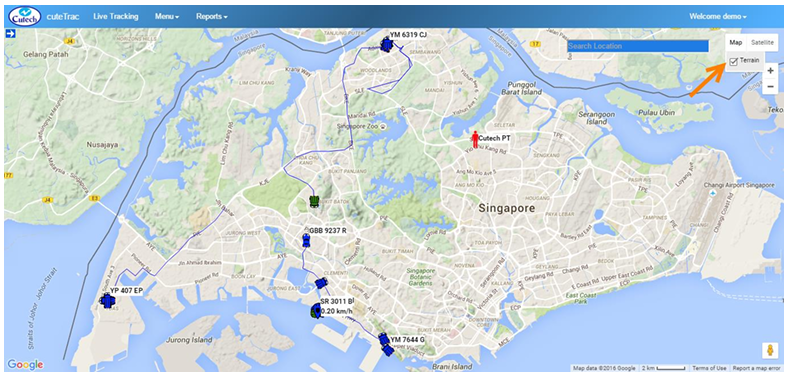
1. Navigate to the top right side of the screen, and click Map. Terrain option appears with a check box.
2. Mark the check box. The map will appear in terrain form.






- Satellite View - If you want to view the map in satellite form,
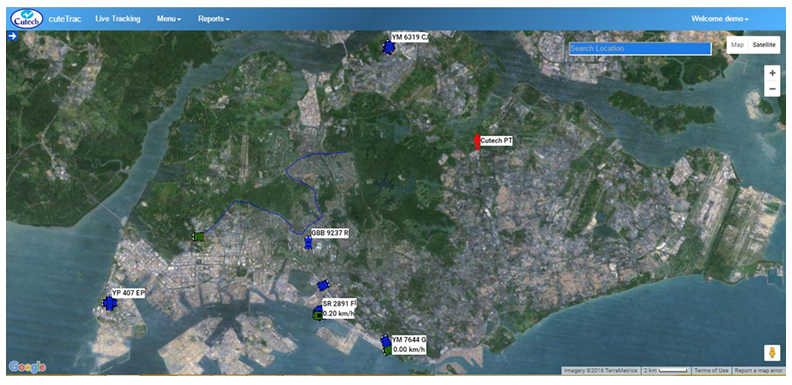
1. Navigate to the top right side of the screen, and click Satellite.
2. The map will appear in satellite form.
- Label View- If you want to view the map with the roads and labels,
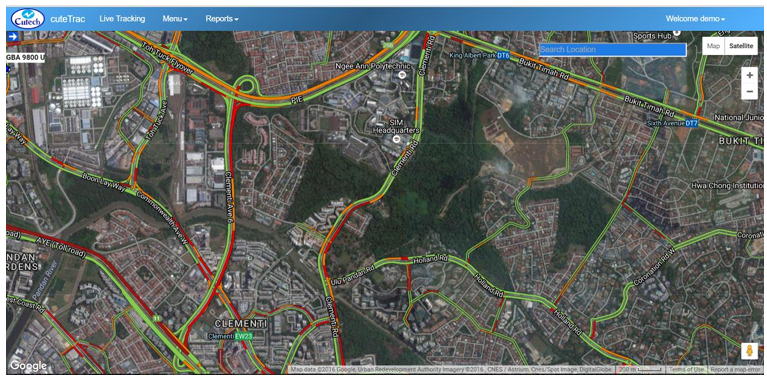
1. Navigate to the top right side of the screen, and click and click Satellite. Label option appears with a check box.
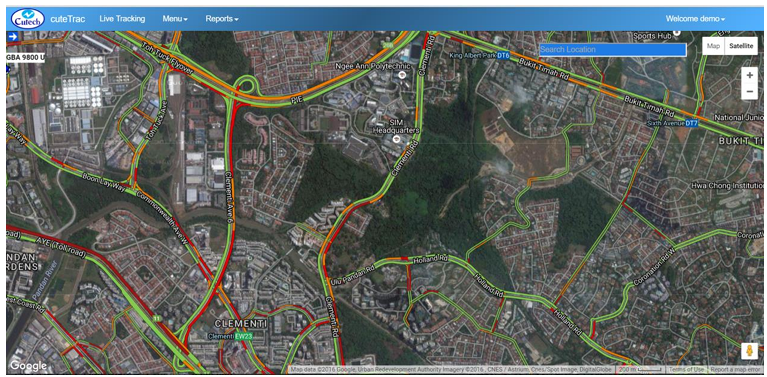
2. Mark the check box. The map will appear as below with overlay of the roads and labels.