Weldmap
Weld Map
Weld mapping is the process of assigning information to a weld joint to enable easy identification of its design (WPS), production (welders, their qualifications, date welded), quality (visual inspection, NDT) and traceability (heat numbers of materials joined & welding consumables).
The Weld Map tab in the Tag Data menu used to add a weld map.
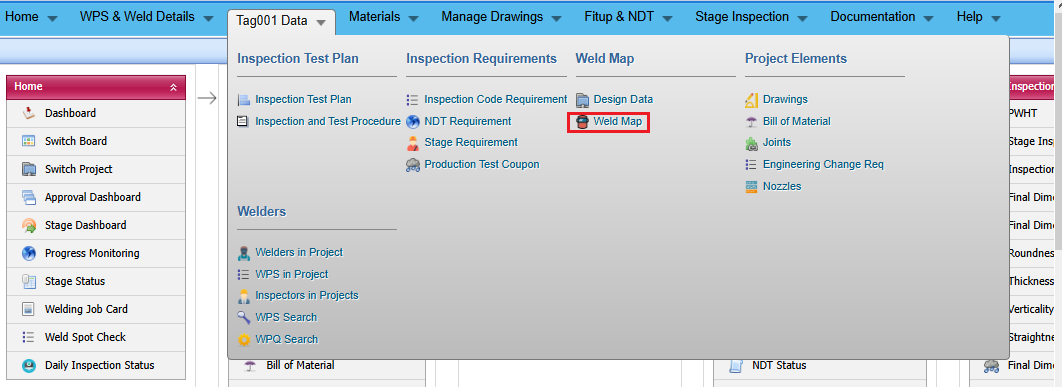
1. Click Weld Map menu
The Weld Map page opens.
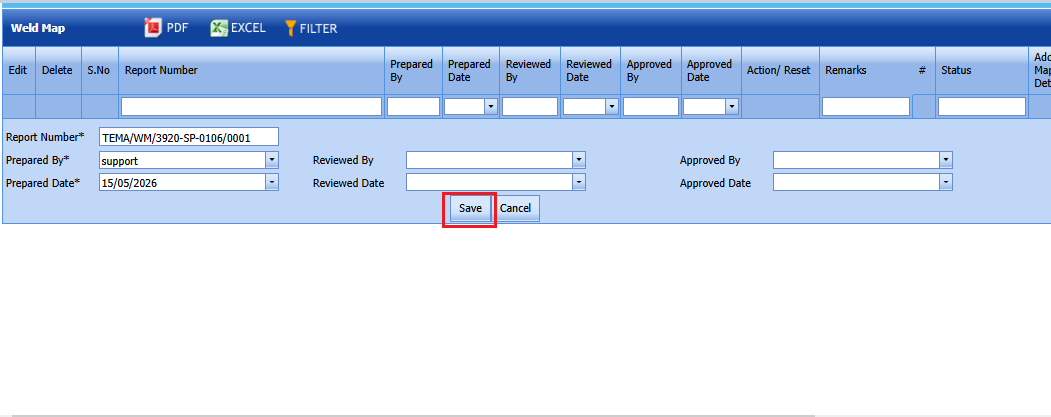
Figure 6.7: Weld Map page
10.1 Add a Weld Map
If you want to add a weld map, do the following steps,
1. Click weldmap menu See Fig 6.7.
2.An Add page will opens .
The page shows a new box to add the details of the weld map.
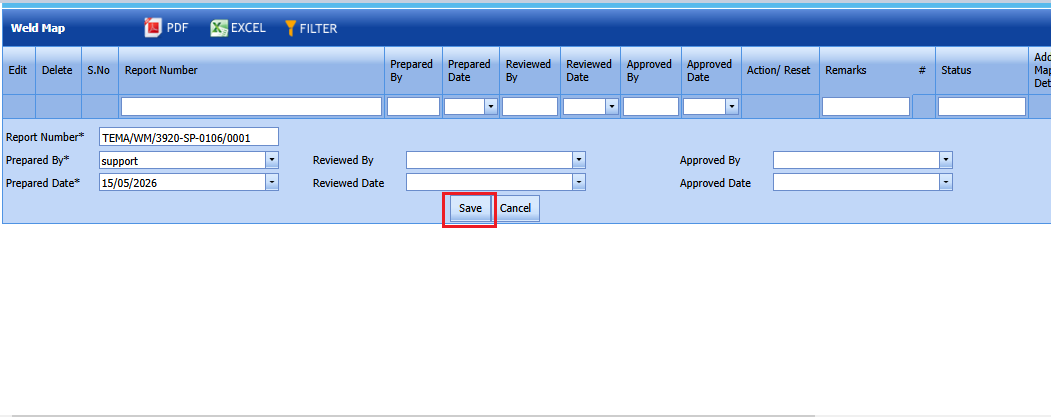
 Tip: A report number for a new weld map will be updated automatically in the Report Number box.
3. In the Prepared By box, enter the name of welder who has prepared the weld map.
4. In the Reviewed By box, enter the name of welder who has received the weld map.
5. In the Approved By box, enter the name of welder who has approved the weld map.
6. In the Prepared Date box, choose the prepared date of the weld map.
7. In the Reviewed Date box, choose the reviewed date of the weld map.
8. In the Approved Date box, choose the approved date of the weld map.
9. Click Save.
The weld map is successfully added.
Edit a Weld Map
If you want to edit any existing weld map in the Weld Map page, do the following,
1. Click (Edit icon) in the Edit column for the respective weld map. See Fig 6.7.
The page shows the details of added weld map.
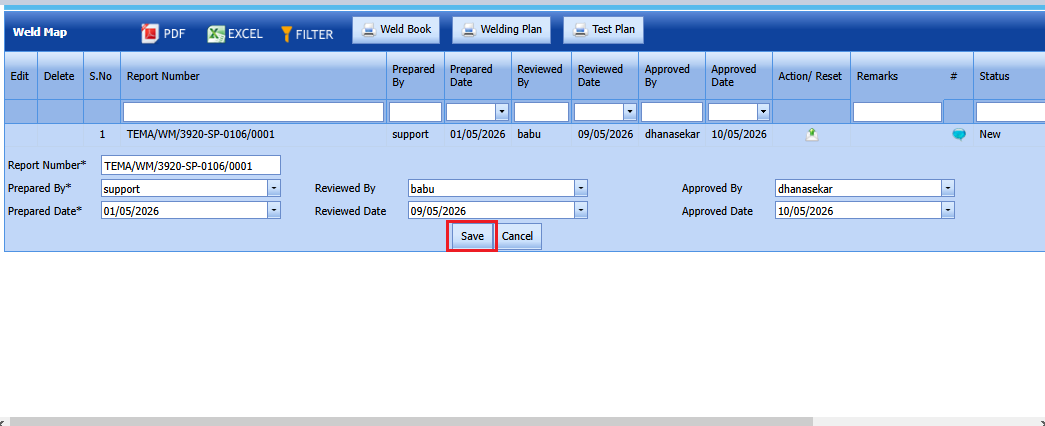
2. Click on any box where you want to edit the details, and then edit the details in the respective box.
3. Click Save.
Attach a File into a Weld Map
If you want to attach a file with any weld map listed in the Weld Map page, you can use (Attach icon) provided in the Attachment column for the respective weld map. To know how to attach, see the topic, “Attach a file into a PWPS”.
Export Weld Maps List
You can export a list of weld maps added in the Weld Map page in the pdf and excel formats by using  (PDF button) and
 (Excel button).
Filter Any Weld Map
If you want to filter any weld map in the Weld Map page, you can use  (FILTER button) provided in the Weld Map page. See Fig 9.7. To know how to filter, see the topic, “Filter Any User Account”.
Print a Weld Map
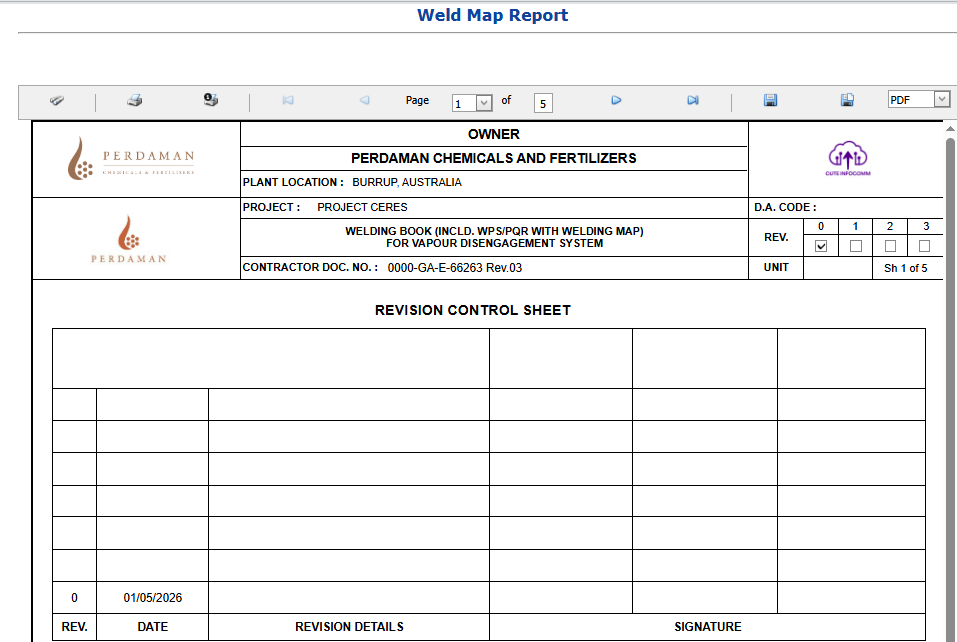
If you want to print a weldmap then click print icon on the weldmap screen.
Weldmap print gives a clear details of the weld plan and Test plan.
Weld Book,Weld Plan,Test Plan
Weld and Test Plan is a document detailing a systematic approach to forming a weld joint by welding two or more workpieces (metal or plastic) according to a particular geometry. A welding joint is a point or edge where two or more pieces of metal or plastic are joined together.

If you want to print weld book,weld plan and test plan, click the correcponding print button at the top as shown above.
Revise weldmap
To revise a weldmap, click Revise button placed in the revise column of the weldmap.(If workflow enabled,revise button will enable only after the workflow approval)
