# Masters
Masters in Sales module includes: Company, Contacts, Quotation Template, Contract Template.
Company master data and contact master data are the same data as Admin-Master.
## Quotation Template
Authorized user can manage (add ,edit or delete) quotation template in this page. Click Quotation Template in Sales-Master tab, the quotation template list page opens as below,
[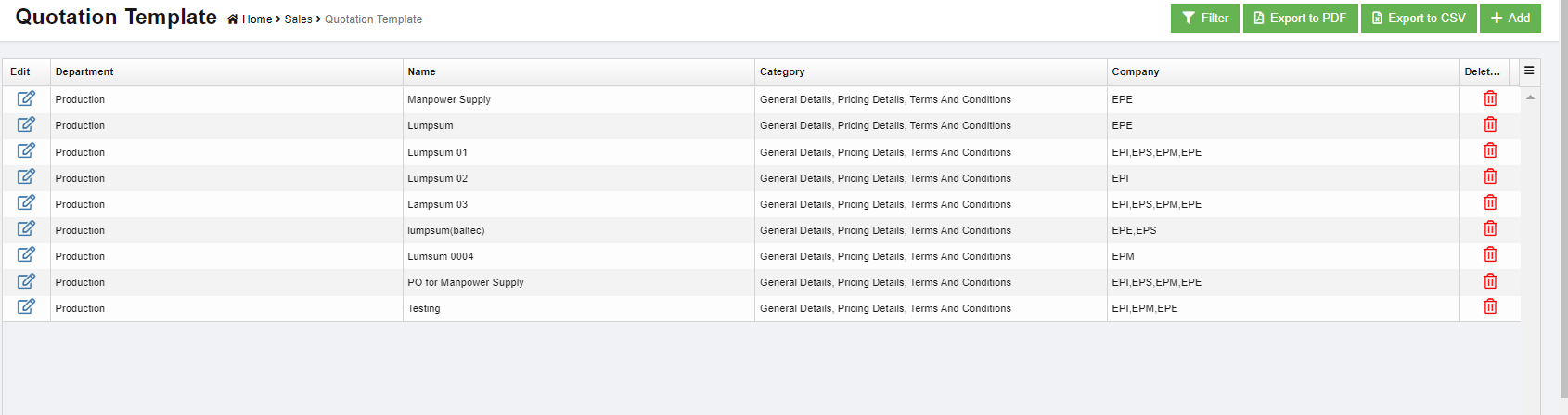](http://wiki.cuteinfocomm.com/uploads/images/gallery/2023-05/image-1684358441622.png)
### Add New Quotation Template
To add a new quotation template,
1. Click[](http://wiki.cuteinfocomm.com/uploads/images/gallery/2023-05/image-1684359119878.png) in the top right corner, the new quotation page opens, [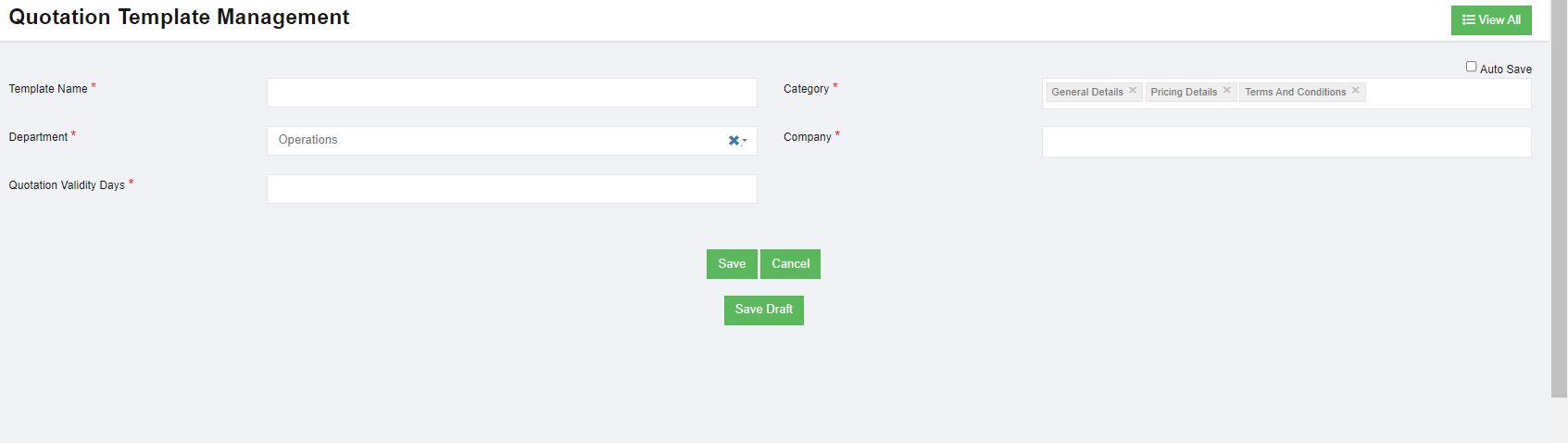](http://wiki.cuteinfocomm.com/uploads/images/gallery/2023-05/image-1684359663438.png)
2. In Template Name box, enter the quotation name.
3. In Category box, click to select categories to be included in the template.
4. In Department box, select department.
5. In Company box, select company name.
6. In Quotation Validity Days box, select
7. Click Save to save new template.